Add your privacy notice and terms of sale
A privacy notice and terms of sale on your store, written from your store details and confirmed by you.
About 10 minutes. You need: Your business name and address.
In Settings, under Store profile, fill in your Business name and Address, then tap Save.
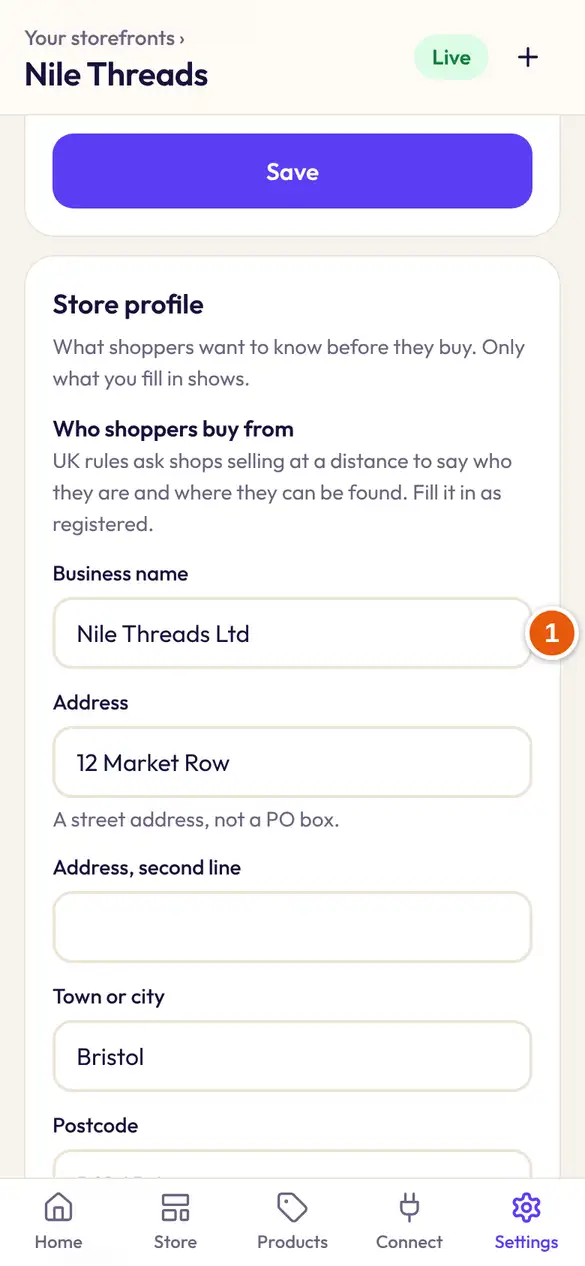
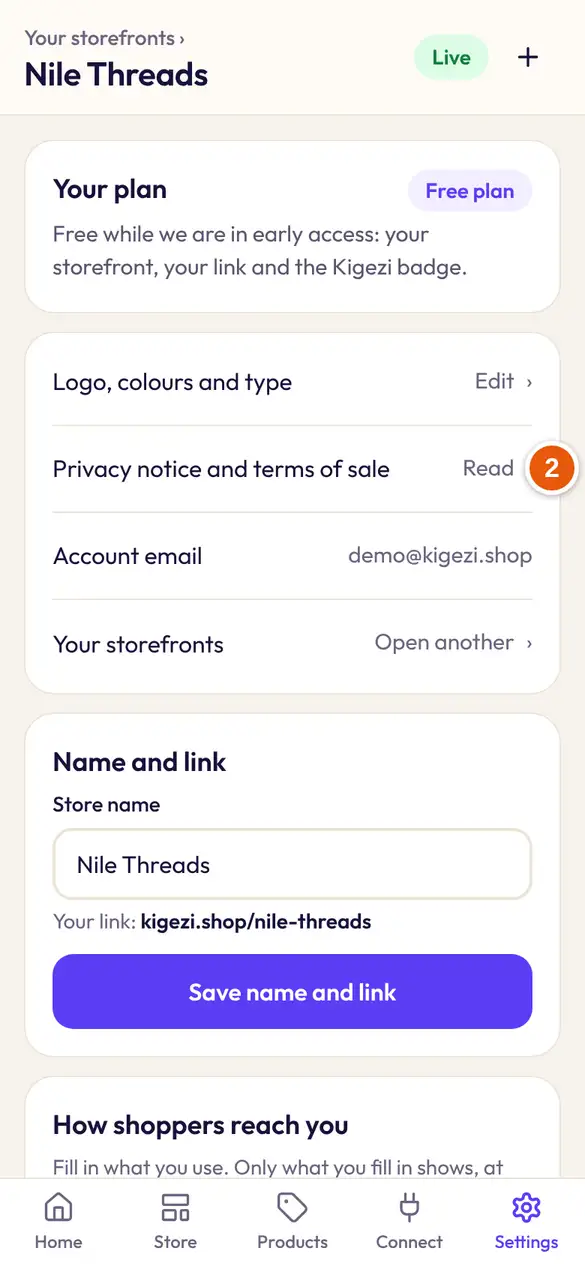
Shoppers in the UK must be told who they're buying from. Still in Settings, tap Privacy notice and terms of sale.
Your legal pages are written from your store details. Tap Read the privacy notice as shoppers will, and read it through.
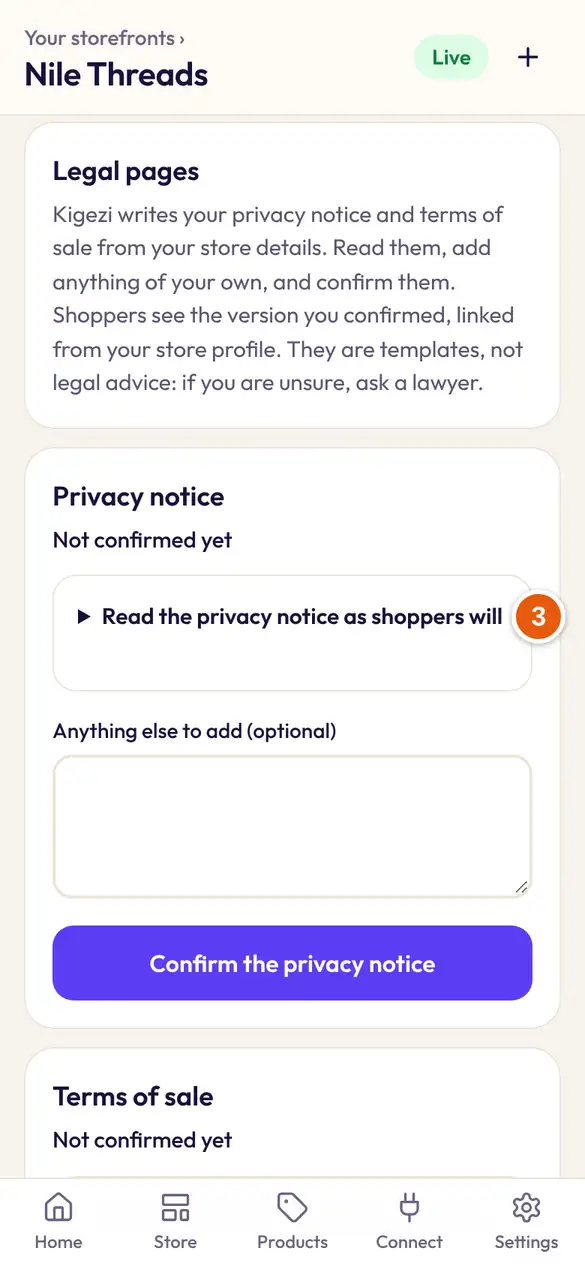
Read it before you confirm it. If you want to add something of your own, write it under Anything else to add (optional).
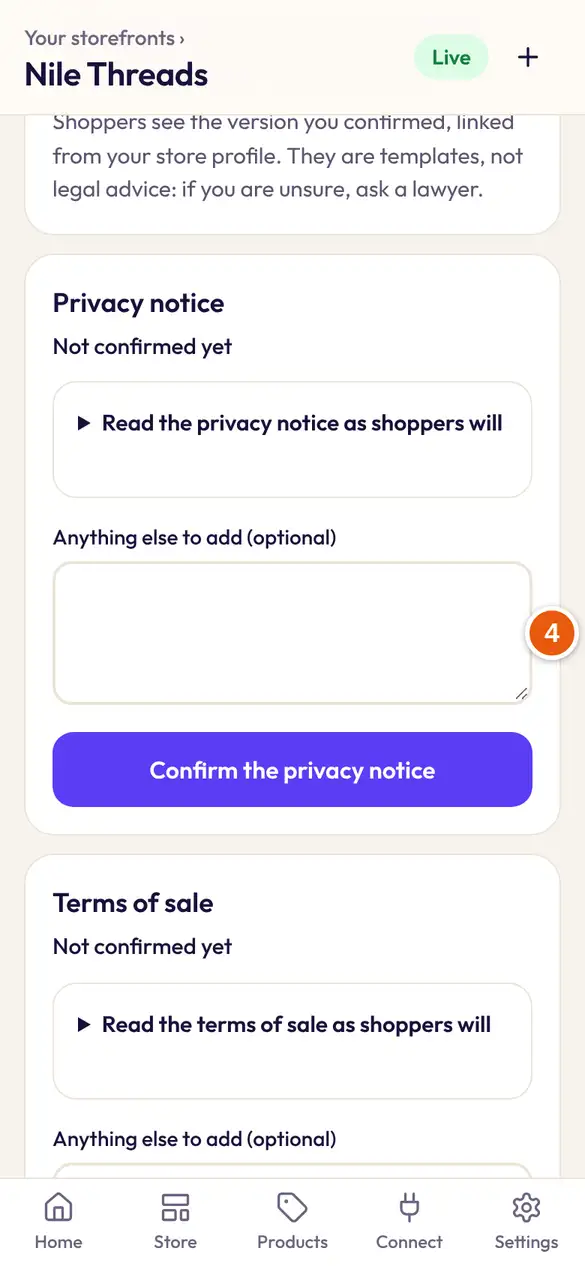
Your own words appear at the end of the page. Tap Confirm the privacy notice. Then do the same for the terms of sale.
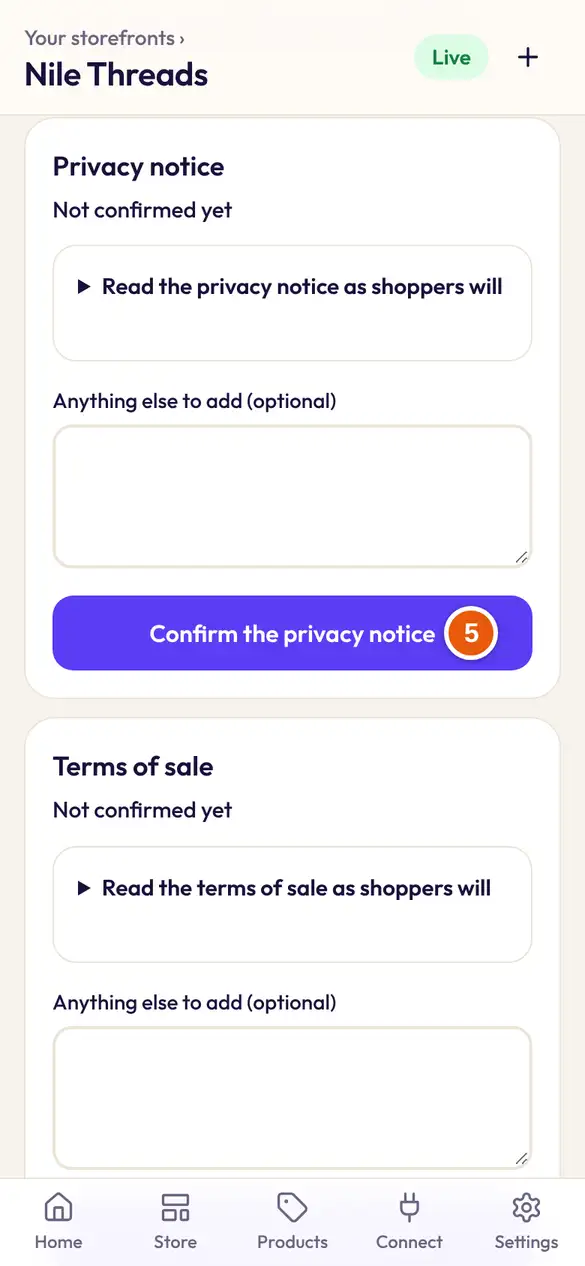
Shoppers see the version you confirmed, linked from your store profile.
What happens next
Shoppers find both pages from your store profile. If your shop has no terms page, going live from the Shopify app confirms the terms of sale for you. If you change your store details later, Legal pages tells you, and you confirm the new version.
If something goes wrong
- It says Needs your store details.
- Add what it lists, such as a contact email or your returns, in Settings. The page is then written for you.
- It says your details changed since you confirmed it.
- Read it again and tap Confirm with your changes, so shoppers see the new version.
- I'm not sure the wording is right for my business.
- These are templates, not legal advice. If you're unsure, ask a lawyer, or link your own page instead in Settings.